A website doesn’t have to crash completely to become a business problem.
Most old website problems build quietly. A plugin stops receiving updates. A database starts acting inconsistently. A form breaks after a small edit. A page loads slower than it used to. Bot traffic starts hitting the site harder than the server can comfortably handle.
By the time someone notices, the issue may already be affecting leads, sales, customer trust, or internal productivity.
Here are nine things that can happen when your website is too old, and why a free website security audit is a smart first step.
1. Plugins Or Website Software Are Outdated
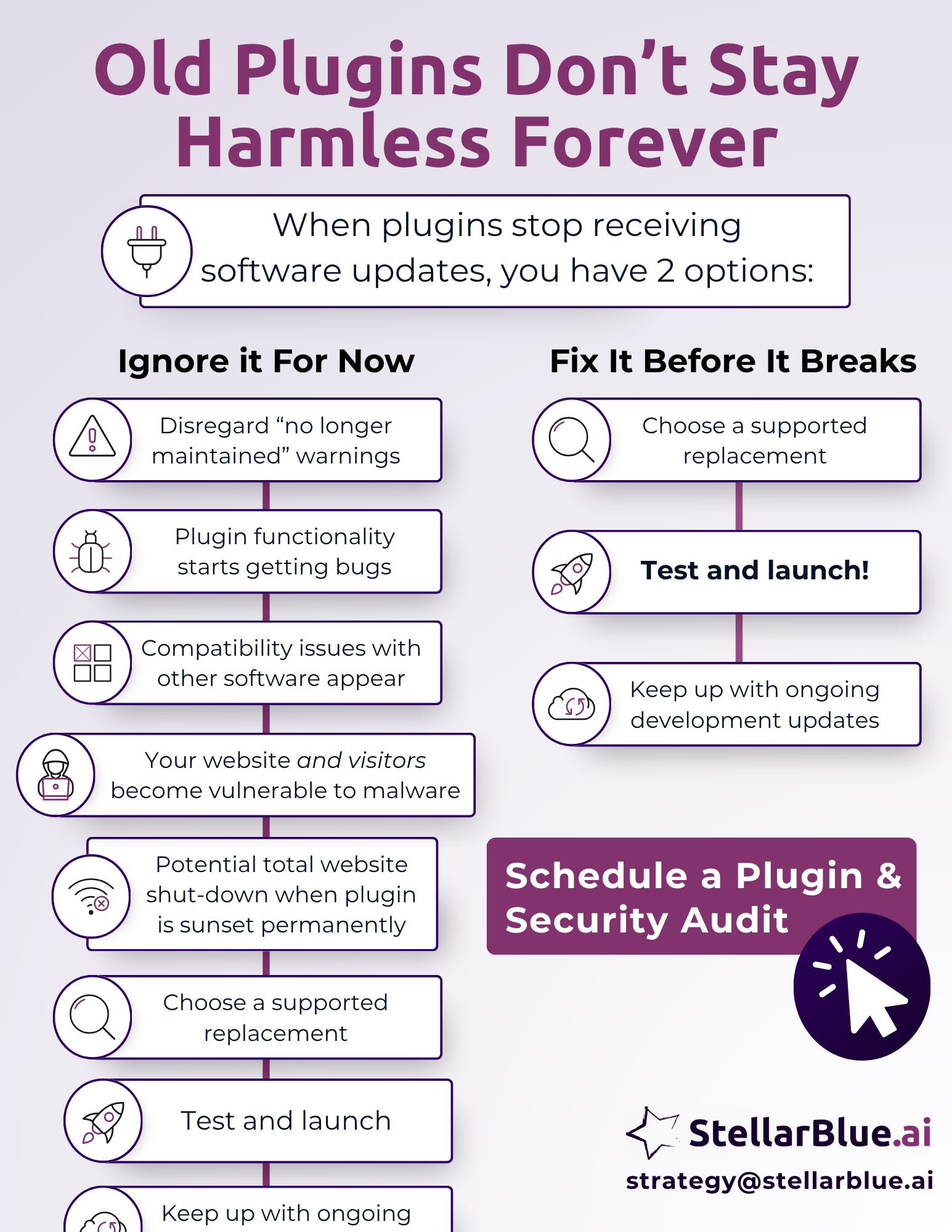
Older websites often rely on plugins that haven’t been updated in months or years. That’s a problem because outdated plugins can contain known vulnerabilities, compatibility issues, or unsupported code. If a plugin is no longer maintained, your site may be depending on software that isn’t being actively protected.
We covered this in more detail in our previous blog on WordPress security risks, including how deprecated plugins can affect leads, sales, and customer trust. If your website runs on WordPress, plugin age should be one of the first things reviewed.
2. Your Site Is Getting Hit With More Bot Traffic
Bot traffic is a growing issue for older websites, especially when the site has weak security settings, outdated forms, exposed login pages, or old plugins. Bots may try to submit spam forms, test usernames and passwords, crawl vulnerable pages, or repeatedly hit parts of the website that use server resources.
This can overload the server or slow the site down for real visitors. In some cases, your team may not immediately realize the issue is bot-related. They may only notice that pages are loading slowly, forms are acting strangely, or the hosting provider is warning about resource usage.
3. Your Server Is Struggling To Keep Up
Older websites can be less efficient than modern sites. They may use bloated themes, outdated scripts, unnecessary plugins, large image files, or database queries that take too long to process. When normal visitor traffic combines with bot traffic, those inefficiencies can become a real performance issue.
The result can be slow pages, temporary outages, error messages, or a frustrating experience for prospects. If your site is part of an active marketing campaign, slow performance can waste ad spend and reduce the number of leads you capture.
4. Your Database Is Causing Errors Or Slowdowns
Many business websites rely on databases to manage pages, products, posts, users, form entries, search tools, directories, or custom features. Over time, those databases can become outdated, cluttered, or incompatible with newer hosting environments and software versions.
When that happens, the website may begin showing strange errors. A page may fail to load. A search function may stop working. A form may submit inconsistently. These problems can be hard to diagnose because the visible issue is often only the symptom. The deeper issue may be an aging database structure that needs technical attention.
5. Website Updates Feel Too Risky To Run
A healthy website should be able to receive updates without creating panic. Older websites often reach a point where every update feels risky. A plugin update might break a layout. A theme update might affect the navigation. A server update might expose old code that no longer works properly.
When teams avoid updates because “something might break,” the site becomes more vulnerable over time. Security patches are delayed. Compatibility issues get worse. Eventually, a simple maintenance task can turn into an urgent repair.
6. Basic Edits Take Too Long
Older websites are often harder to edit. The backend may be clunky, confusing, poorly documented, or built with outdated tools. A simple update, like changing a headline, swapping an image, or adding a new link, can take much longer than it should.
This creates hidden costs inside the business. Marketing teams spend extra time making basic edits. Staff members avoid updating important pages. Someone may accidentally break spacing, remove a section, or link to the wrong place because the editing experience is unclear.
7. Broken Links Or Mistaken Changes Are Showing Up More Often
When a site is difficult to manage, small mistakes become more likely. A button may point to the wrong page. A form link may break. A service page may contain outdated information. A campaign landing page may be published with missing images or broken formatting.
These issues hurt trust because visitors don’t see the internal reason. They only see a website that feels neglected or unreliable. For a prospect comparing vendors, a broken page or dead link can be enough to move on.
8. Lead Generation Tools Aren’t Working Reliably
Old website problems often show up first in lead generation. Forms may stop sending notifications. Tracking scripts may break. Call-to-action buttons may be hard to edit. Landing pages may load slowly. Security warnings or spam issues may discourage visitors from submitting information.
This is especially damaging because the business may still be paying for marketing. Ads, email campaigns, social posts, and sales outreach can all send traffic to a website that isn’t converting properly. The campaign may look like the problem, when the real issue is the website receiving the traffic.
9. Your Team Avoids Touching The Website
One of the clearest signs of an outdated site is internal hesitation. If your team avoids touching the website, delays updates, or depends on one person who “knows how it works,” the site has become a bottleneck.
Your website should support your marketing and sales activity. It should be easy enough to maintain, secure enough to trust, and stable enough to grow with the business. When it becomes fragile, confusing, or unreliable, it starts slowing the team down.
Why A Free Website Security Audit Is A Smart First Step
A security audit helps uncover the issues that aren’t always obvious from the homepage. At StellarBlue.ai, we can review outdated plugins, bot traffic concerns, database risks, hosting performance, broken functionality, and general site stability.
The goal isn’t to scare you into a rebuild. The goal is to show you what needs attention now, what can be monitored, and what may require a longer-term plan.
Some old website problems are simple fixes. Others point to deeper issues in the site structure, hosting setup, or maintenance process. Either way, knowing what’s happening behind the scenes gives you a better path forward.
Protect The Website Your Business Depends On
Old website problems rarely stay contained. A plugin issue can become a security risk. Bot traffic can become a server problem. A hard-to-edit page can lead to broken links, wasted staff time, and missed leads.
If your website hasn’t been reviewed recently, now is the right time to check it.
Get A Free Website Security Audit
StellarBlue.ai can review your website for outdated plugins, aging databases, bot traffic concerns, server strain, broken links, and security risks that may be affecting performance or reliability.
Request your free website security audit today. We’ll help you understand what’s working, what’s vulnerable, and what to prioritize next.